How to search your X bookmarks
By Chiratna, founder of Zappmark · Updated
X's help pages don't document a bookmark search, but third-party guides report a keyword search box on the Bookmarks page on the web and iOS. It only finds posts that contain the exact words you type. To find a saved post by what it was about, you need a tool that searches by meaning, such as Zappmark.
Search bookmarks on X
Bookmarks on X (formerly Twitter) live on their own page, reached from the side menu on the web or your profile menu in the app. X's help centre explains how to add and remove them, but not how to search them.
If your account shows a search box on that page, this is how it's reported to work:
- Open x.com and click Bookmarks in the left menu.
- Click the search box at the top of the Bookmarks page.
- Type a word or a short phrase that you're sure was in the post, such as a product name or the author's name.
- Press Enter, then scroll the results.
Third-party guides say this matches exact words only, doesn't look inside bookmark folders, and isn't on Android. If you don't see a search box, the fallback is to scroll your Bookmarks page and use your browser's find (Ctrl+F, or Cmd+F on a Mac). That only finds posts that have loaded on the page, so scroll far enough first.
Why keyword search misses the post you want
You usually remember what a post was about, not the words in it. You remember "that thread about cutting our database bill", and the post said "How we cut our Postgres bill by 62%". A keyword search for "database" won't find it.
Search by meaning works differently. It turns each post and your query into numbers that capture what they're about, then finds the closest posts. "Database costs" then finds the Postgres post, even with no word in common.
Ways to search saved X posts
Here's what each option searches, based on each tool's own pages on 4 October 2026.
| Option | What it matches | Your existing X bookmarks | Cost |
|---|---|---|---|
| X Bookmarks page | Exact words (not documented by X; third-party reports) | Yes | Free |
| Dewey | Bookmarks, tags, authors and notes; meaning not stated | Yes, synced | Free plan; Pro $10 a month |
| Tweetsmash | Full text, plus AI chat | Yes, imported | From $7 a month |
| Readwise Reader | Full text | Yes, synced daily | $9.99 a month billed yearly |
| Twillot | Keywords, in a local index | Yes, synced | Free for 100 items; from $2.49 a month |
| Zappmark | Meaning, plus More like this | No, only posts saved with it | Free up to 50 saves; $3 a month |
Search by meaning with Zappmark
Zappmark only searches posts you've saved with it. It doesn't import your existing X bookmarks.
- Install the Zappmark extension in Chrome and sign in with Google.
- On x.com, hold Option on a Mac (Alt on Windows), then click a post on X to save it.
- Open your library at zappmark.com/library.
- Type what the post was about in the search box at the top, in your own words.
- Open a result and use More like this to see your other saves on the same subject.
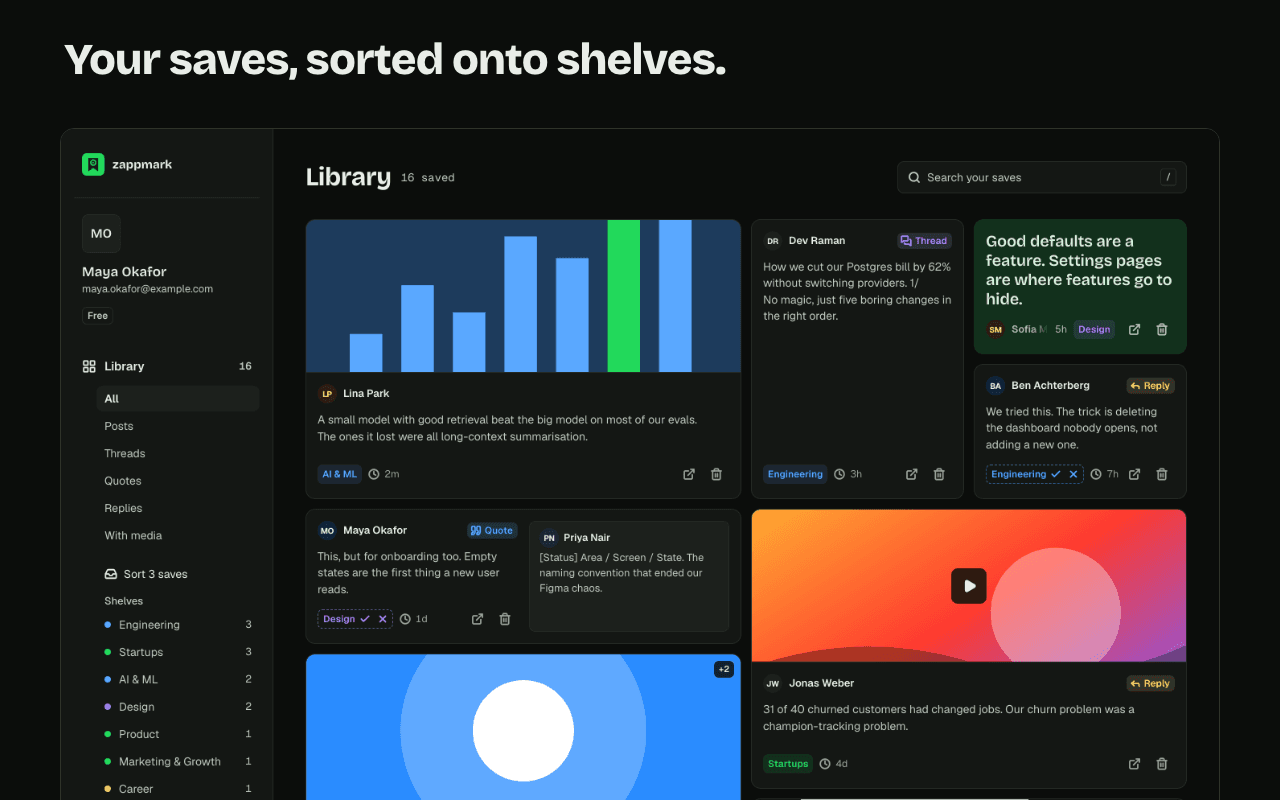
Search by meaning: search finds a save by what it said, not only by the exact words. Your saves stay in your library even if the original post is deleted.
Search is on the free plan too. Zappmark sends the post text and your searches to an embedding model to make this work; the privacy policy names the provider.
Tips for finding old bookmarks
- Search for the author. If you remember who posted it, their name or handle is the most reliable keyword.
- Search for a rare word. Product names, numbers and jargon match better than common words.
- Check your likes. If you liked the post as well as bookmarking it, it's also on the Likes tab of your profile.
- Use X's main search with operators. X's search box accepts operators such as from:handle and since:2026-01-01. It searches all of X, not your bookmarks, but it can find a post you remember part of.
- Save it somewhere searchable next time. A tool that keeps the text and searches by meaning saves you the hunt.
What Zappmark can't do yet
- It doesn't search your existing X bookmarks. Tools such as Dewey, Tweetsmash, Readwise and Twillot sync them first, then search them.
- It's a Chrome extension; there's no mobile app.
- It saves from X only today.
Zappmark is free up to 50 saves; Pro $3 a month or $27 a year. If you're comparing tools, see the best X bookmark managers.
Questions
Can you search X bookmarks without Premium?
X doesn't document bookmark search on its help pages. Third-party guides report a keyword search box on the Bookmarks page for all accounts on the web and iOS. Folders, by contrast, are a Premium feature.
Why can't I find a post I bookmarked?
Keyword search only matches exact words, so a post phrased differently from your memory won't show up. Try the author's name or a rare word, or use a tool that searches by meaning.
Does Zappmark search my existing X bookmarks?
No. Zappmark searches the posts you save with it, starting from when you install it. It doesn't import or read your X bookmarks.
Is Zappmark's search free?
Yes. Search by meaning and More like this are on the free plan, which holds up to 50 saves. Pro is $3 a month for unlimited saves.